v2 Report Introduction
Zhumu supports different report styles and custom output tables, provided that the report version is set to the latest v2.
Setup Method
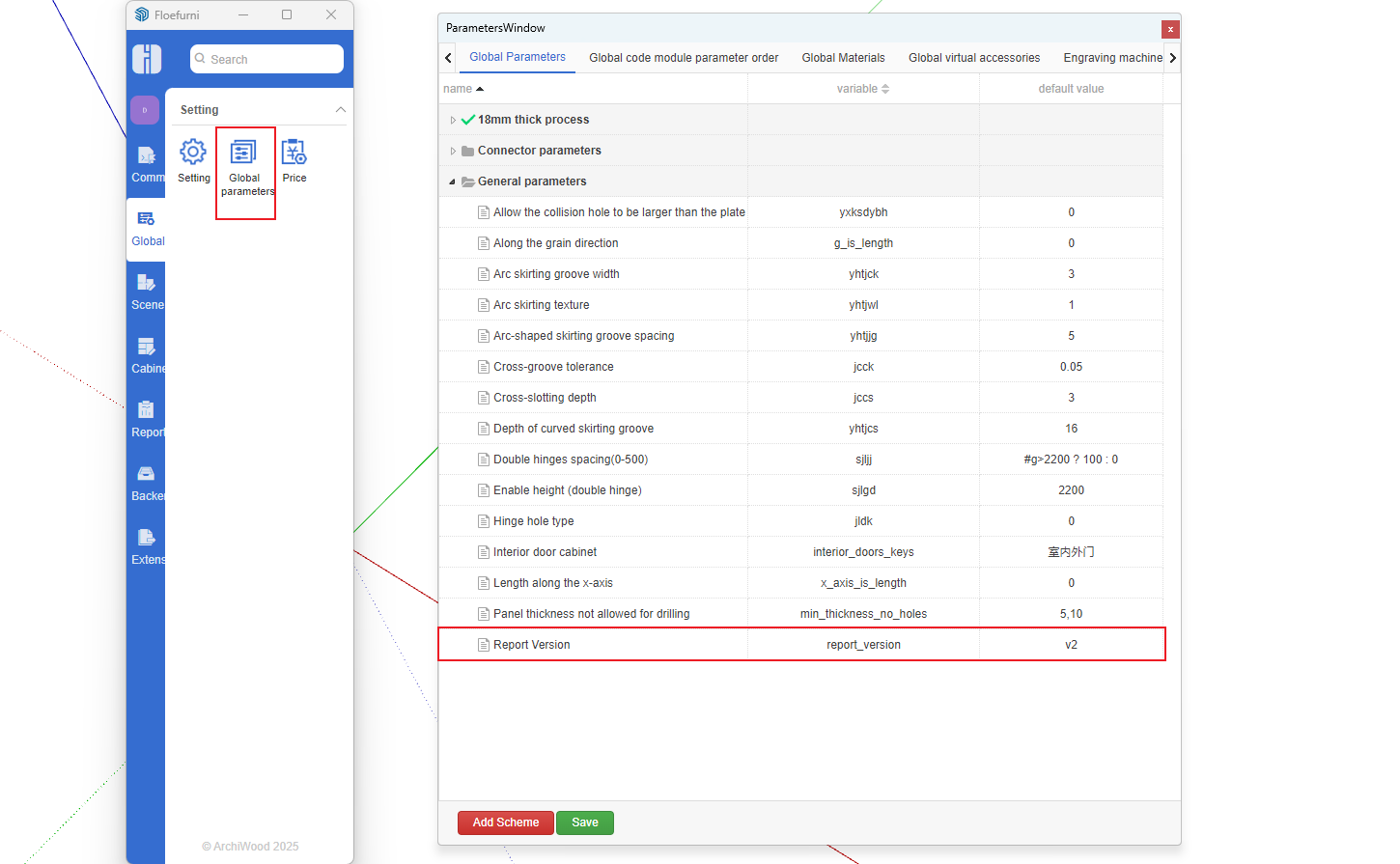
- Open Global Default Parameter Settings and add the following settings. Save after setting.
After recreating the report, open Order Management, check the order, and click View Report Dashboard
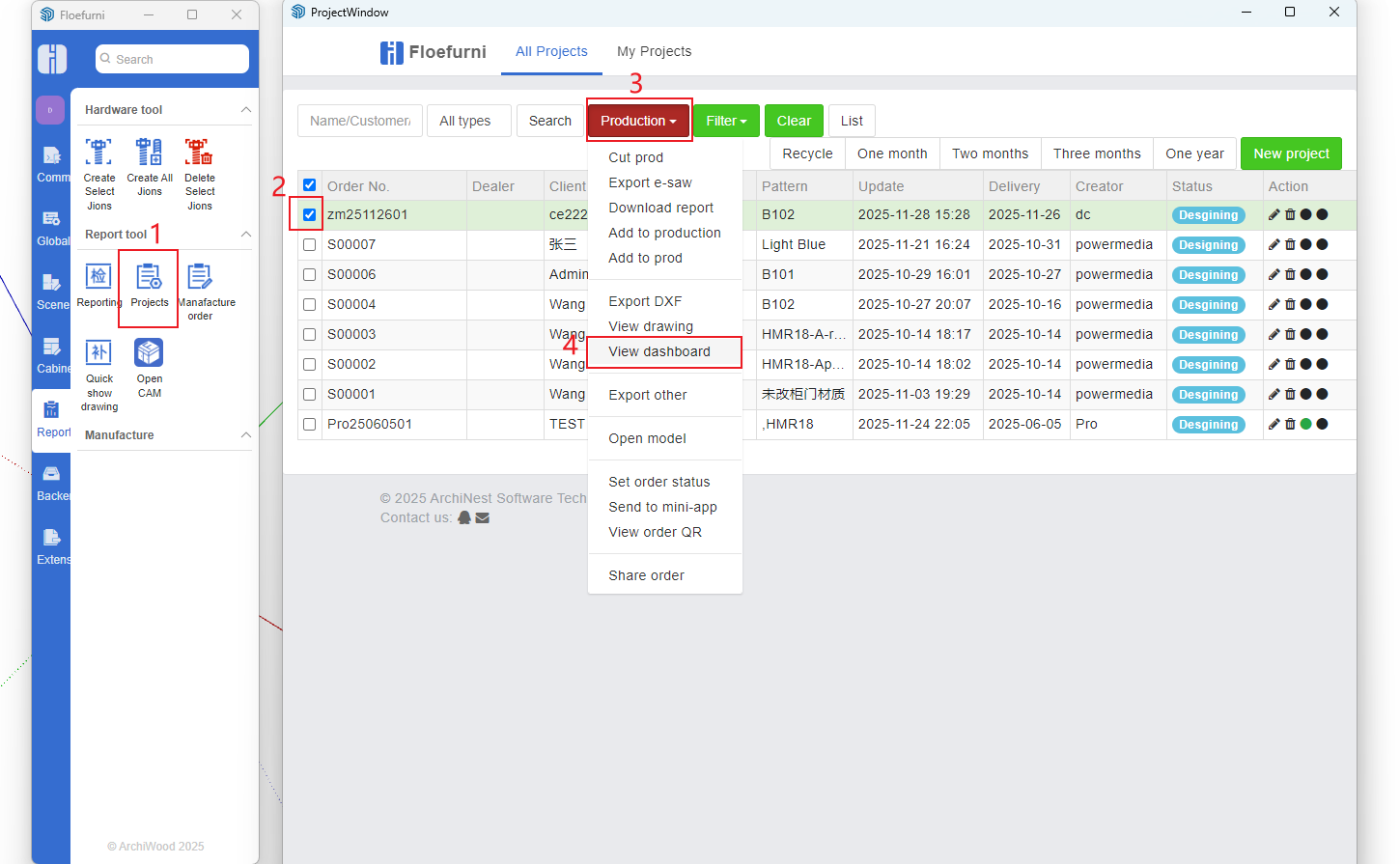
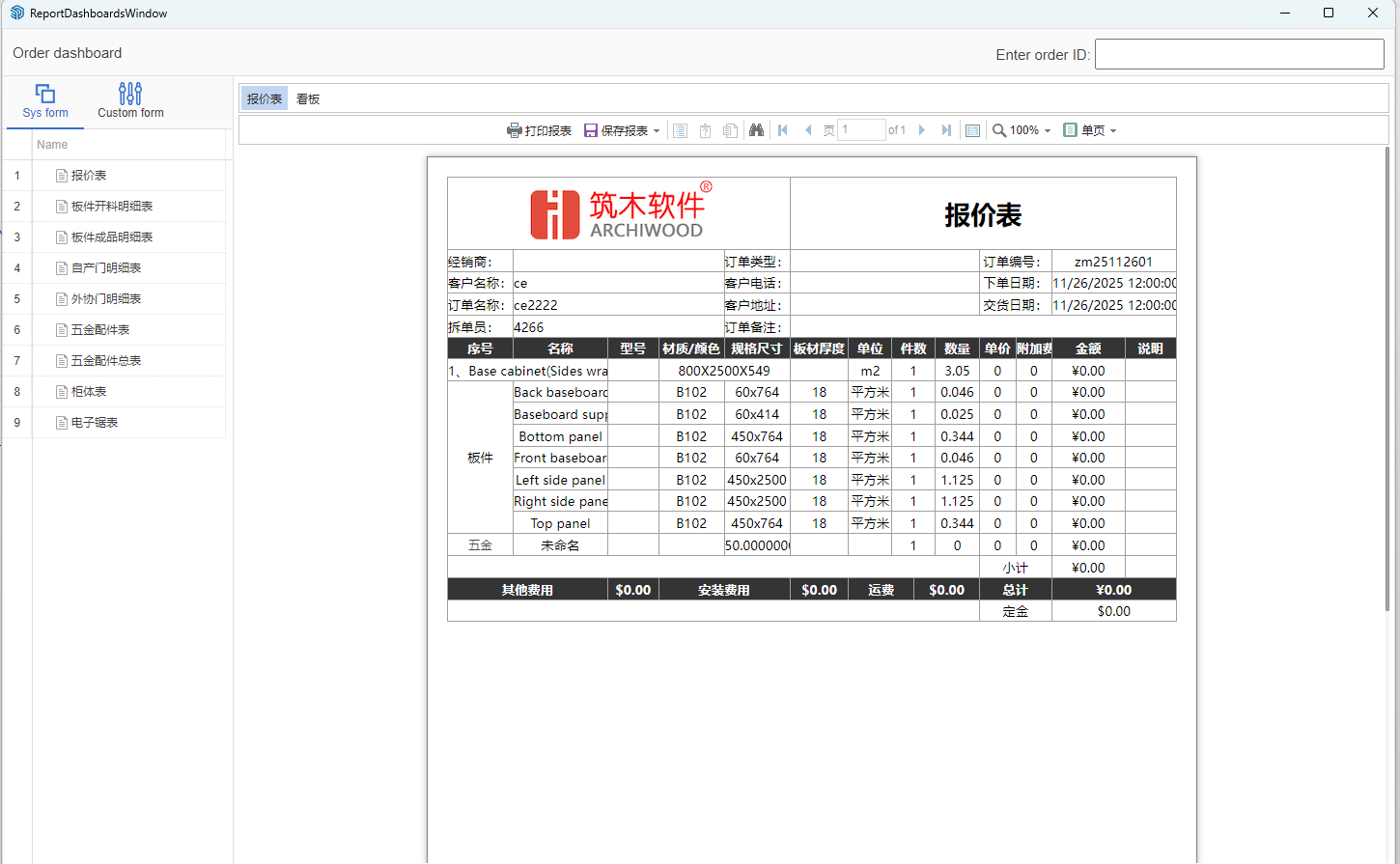
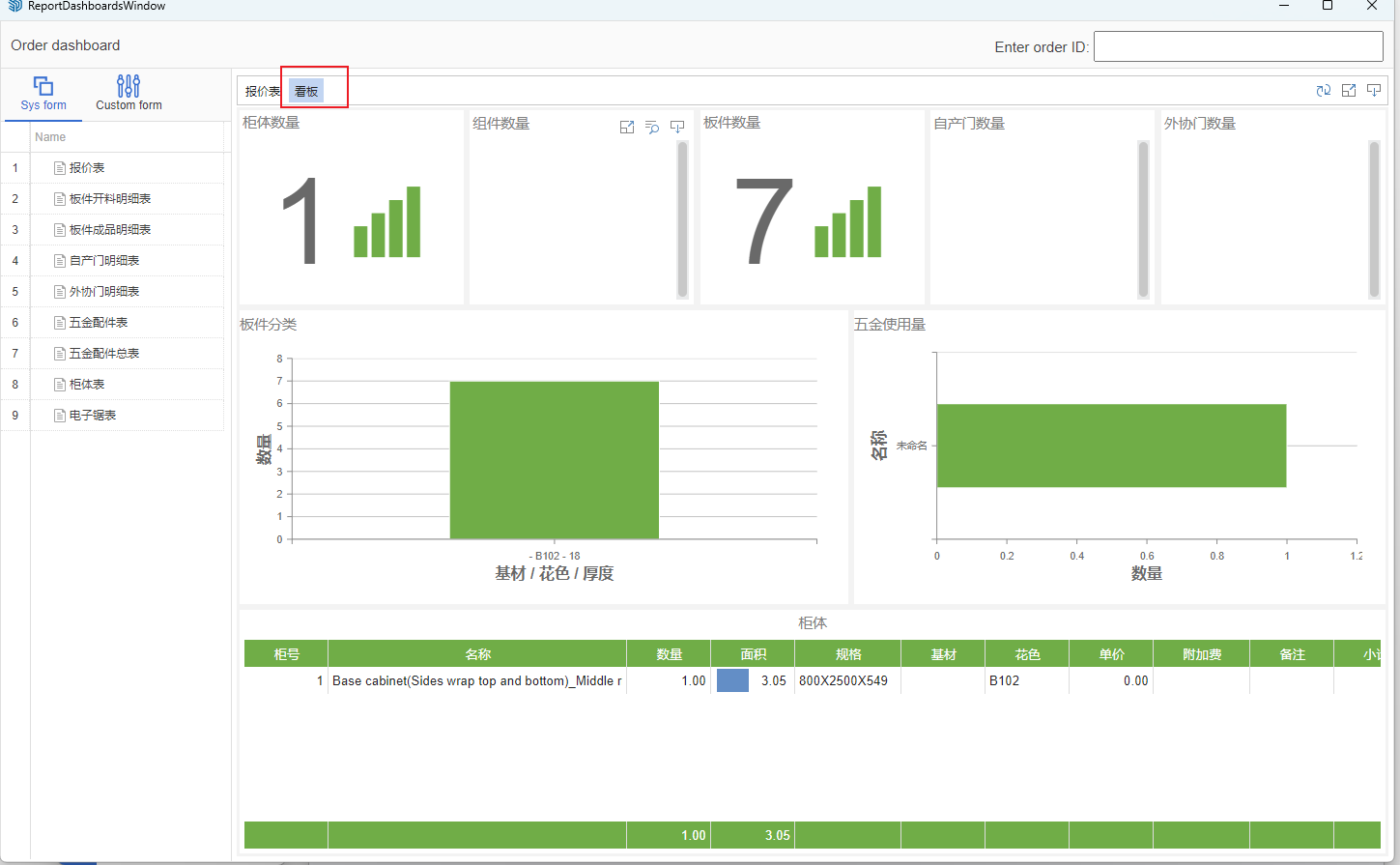
View Dashboard
Important Note
- If online preview is unavailable due to network issues, you can also directly view the report dashboard using the above method with the same result.

